Video: Ruby to Parse CSV data, and Visualize it within GoogleCharts – NFL Player Weight Averages by Draft Year

Fun with random data. Find, investigate, and plot.

I parse an NFL dataset, and visualize it in a GoogleCharts Column Chart.
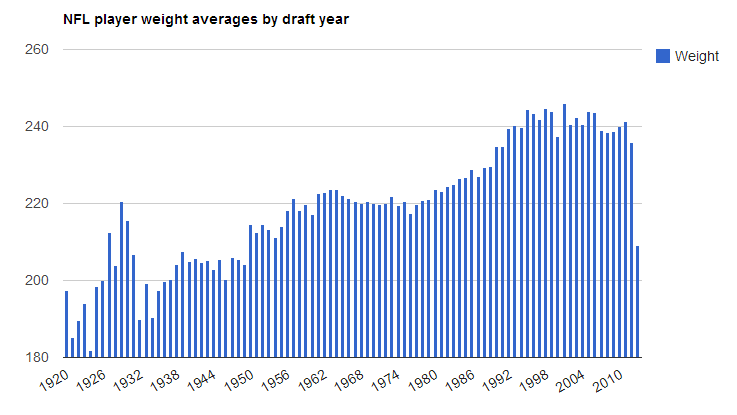
nfldraftyear


The video above details the steps taken

  • Download NFL CSV data from reddit post
  • Open downloaded file with OpenOffice and notepad to check it out
  • Create an Aptana Ruby Project
  • Copy CSV data into a specific directory
  • Write Ruby code to: Read Each line of the csv file, Test by outputting each player name (3rd column)
  • Figure out what to chart
  • Find specific columns within the dataset (Weight, draft_year)

Ruby:

  • Adjust ruby code to get columns, confirm for integrity
  • Create variables for weight and draft year
  • Create Hash’s for Counts and Averages
  • Populate the year hash count variable as you iterate through each row:
  •         – If the year hash count variable doesn’t have a year, create a new hash entry, specifying the year as the key, and setting the initial value to 1
  •         – If the year hash count variable already contains a key with the next row’s year, then get its value, increment it by 1, and update the pair.
  • Do the same thing for the weight averages hash, only with weight. Accumulate weight totals for each year.
  • cast weight and draft year variables into integers
  • iterate through year count hash.
  • Create new has with year and weight averages hash.
  • Perform calculations on each pair in year hash count. Cast pairs into float types, divide weight accumulated totals, by counts.
  • Sort new hash
  • output the contents of new hash.
  • fix mistakes.

Google Charts html formatting:

  • Obtain a Column Chart from GoogleCharts and save it locally as an html.
  • Adjust example properties with note pad.

Ruby:

  • Adjust output into appropriate JSON
  • Enjoy your chart.
DataViz: Visualizing Chicago Narcotics Crime Data.

In this post, I will give a semi-detailed overview of how to make an animated heat map over a time range.  This is my first attempt at making an animated heat map.

I will be revisiting Chicago crime statistics from City of Chicago Data Portal 2001-2013

This dataset reflects reported incidents of crime (with the exception of murders where data exists for each victim) that occurred in the City of Chicago from 2001 to present, minus the most recent seven days.Data is extracted from the Chicago Police Department’s CLEAR (Citizen Law Enforcement Analysis and Reporting) system. Read More about the dataset here

On 11/28/2013 I downloaded a csv from chicago’s data portal named Crimes_-_2001_to_present.csv, its size was 1,050,688 KB

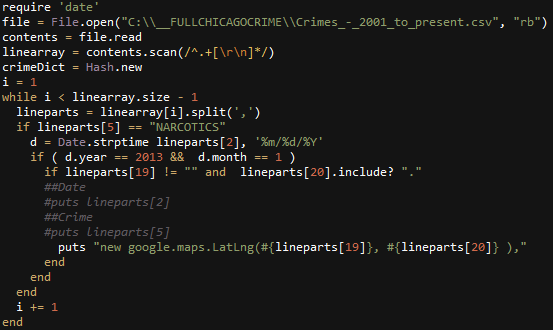
Here is an example of how I would parse out all coordinates of narcotics violations for the month of January in 2013.
rubyspecific

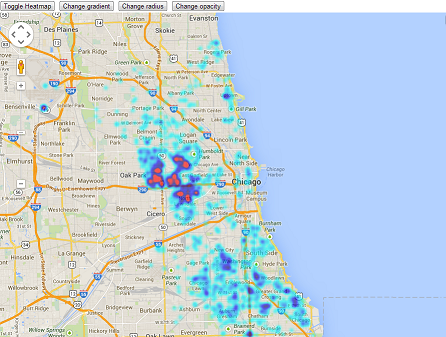
Lets test the coordinate outputs by appending them into a google maps heatmap.
SingleMonthTest

Okay, now I’m going to manually make one of these images (with static center and size) for each month from January 2012 to October 2013. Next, I wrote a quick c# application using ImageMagick to programmatically crop each Browser screenshot.
string[] files = Directory.GetFiles(@"c:\__FULLCHICAGOCRIME\Months\ScreenShots");
foreach (string file in files)
{
    string ext = Path.GetExtension(file);
    if (ext == ".png")
    {
        string filenameNoExt = Path.GetFileNameWithoutExtension(file);
        string filenameExt = Path.GetFileName(file);
        Directory.CreateDirectory(@"c:\ImageConversion\" + filenameNoExt);
        Process imProcess = new Process();
        string im_command =  file + @" -crop 800x800+500+300 c:\__FULLCHICAGOCRIME\Months\ScreenShots\cropped\" + filenameNoExt + "_cropped.png";
        imProcess.StartInfo.UseShellExecute = false;
        imProcess.StartInfo.RedirectStandardOutput = true;
        imProcess.StartInfo.FileName = @"c:\__FULLCHICAGOCRIME\Months\ScreenShots\convert";
        imProcess.StartInfo.Arguments = im_command;
        imProcess.Start();
        imProcess.WaitForExit();
    }
}

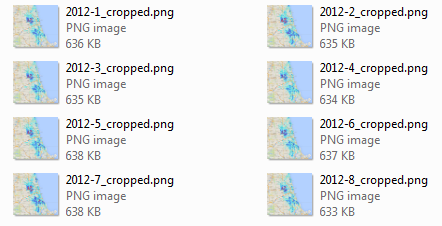
Now I have the frames for my animation.
croppedimages

Lastly, I append all these images into a movie using Windows Movie Maker, and add some Beethoven as background music.

Visualizing Texas Death Row Data

A look into death row inmates of Texas, USA.
The data is from https://github.com/zmjones/deathpenalty
Which is put together from Texas Department of Criminal Justice

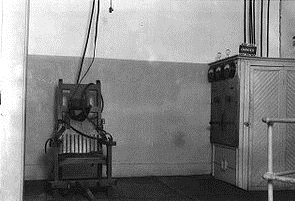
oldsparky

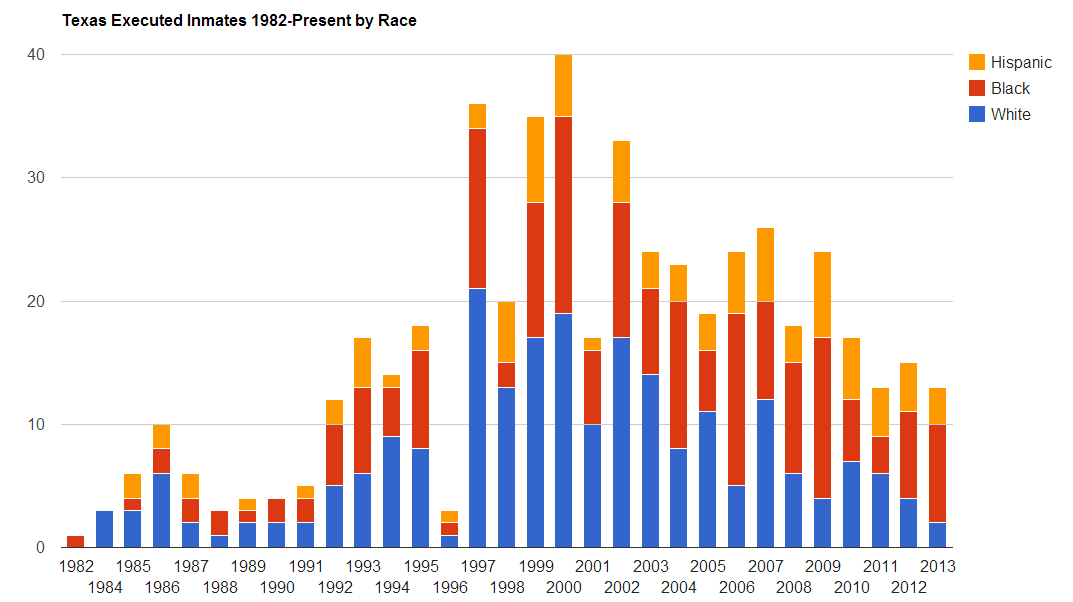
Year by Race Stacked Bar Chart:
RaceTotalExecutedTexas

Year by Age Scatter Chart:
AgeYear Scatter Chart

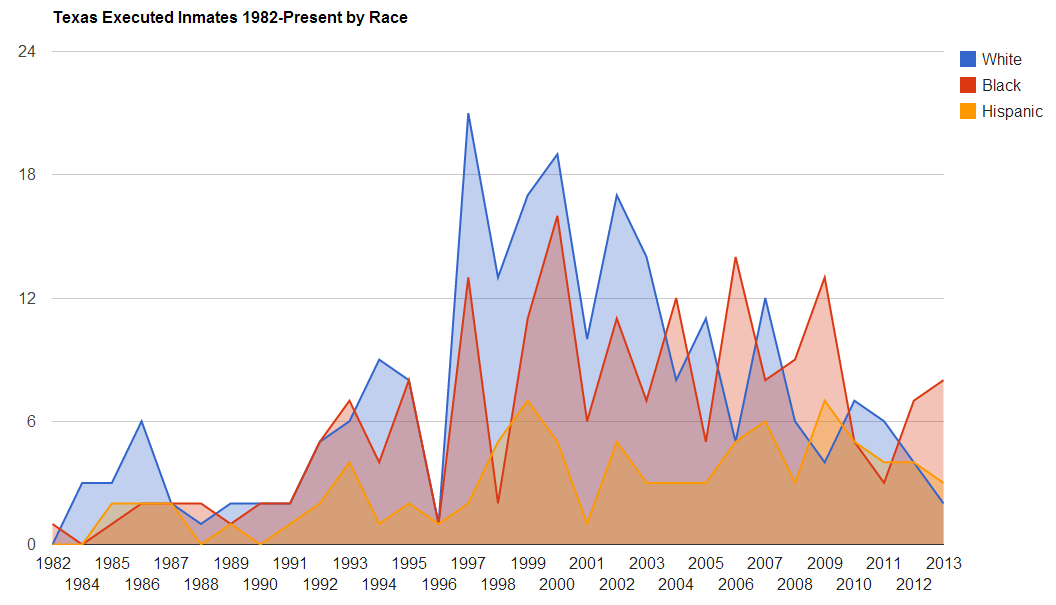
Year by Race Area Chart:
areachartbyrace

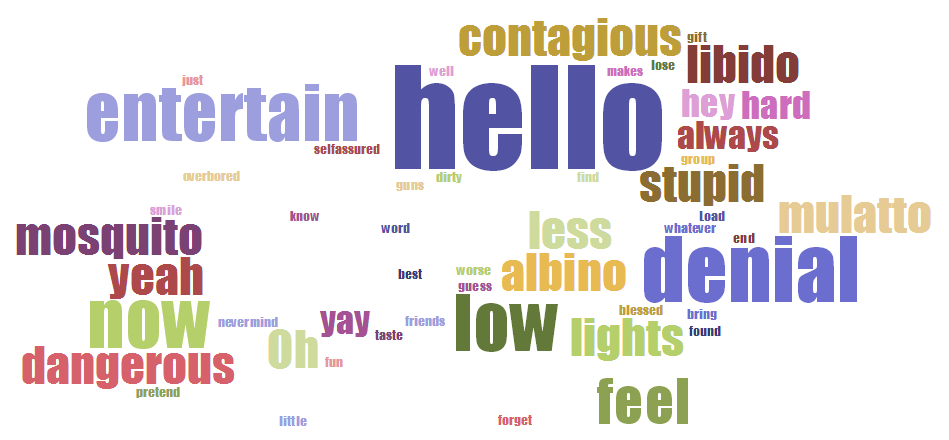
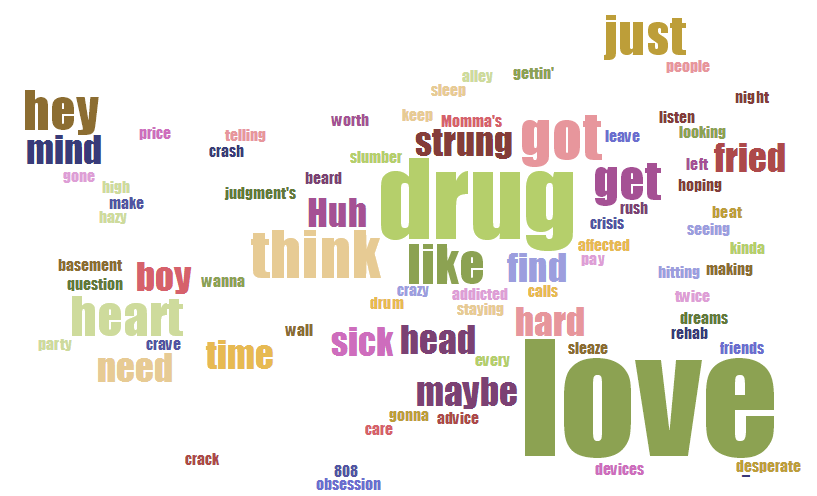
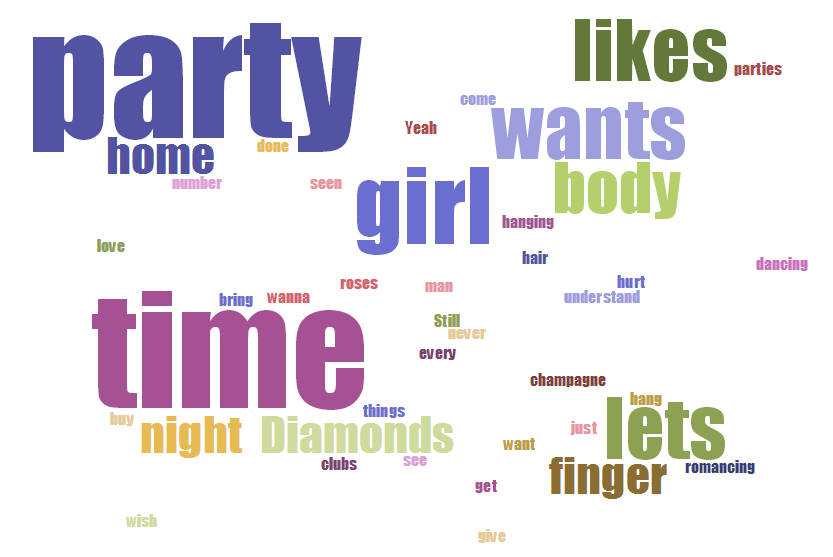
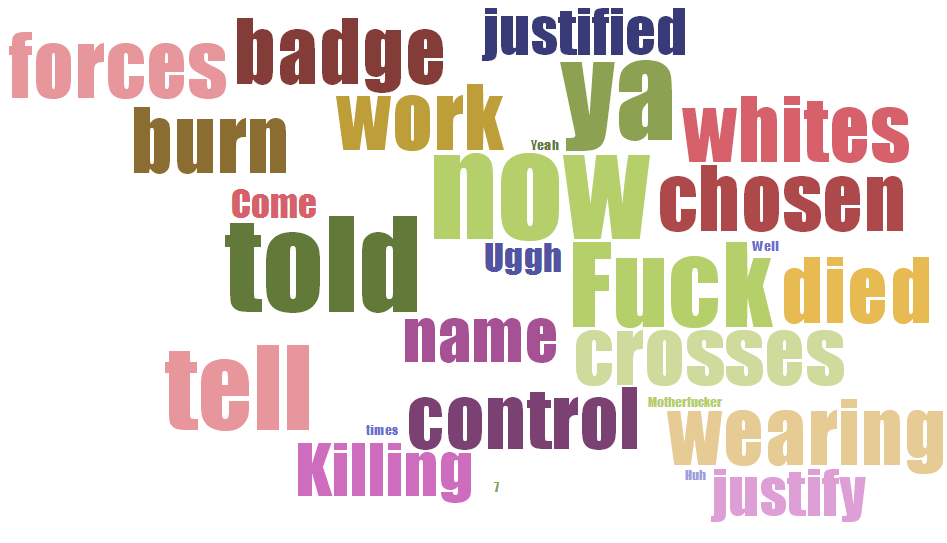
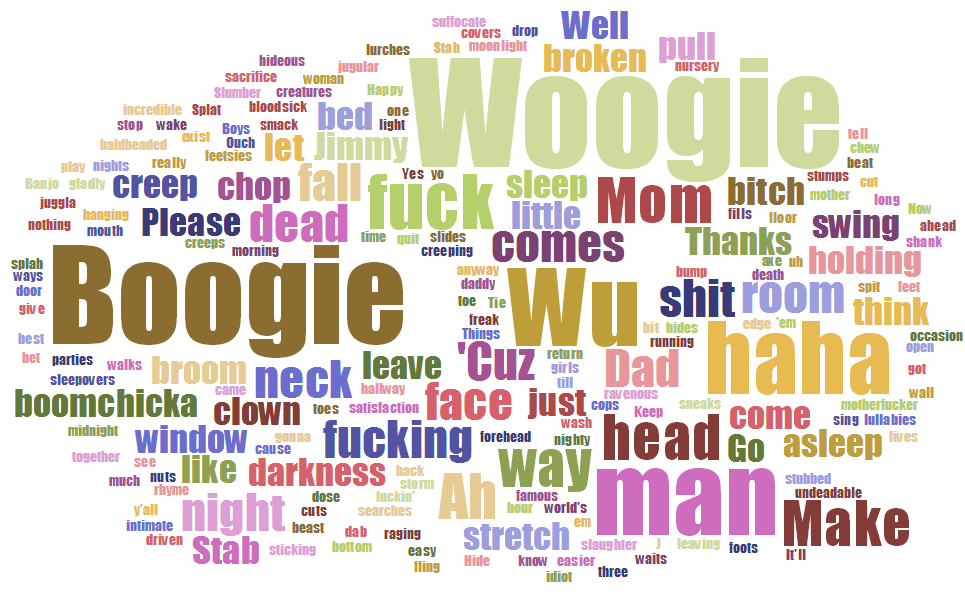
Last Words – Word Cloud generated by Tagul. Click to enlarge
WhiteCloud BlackCloud HispanicCloud

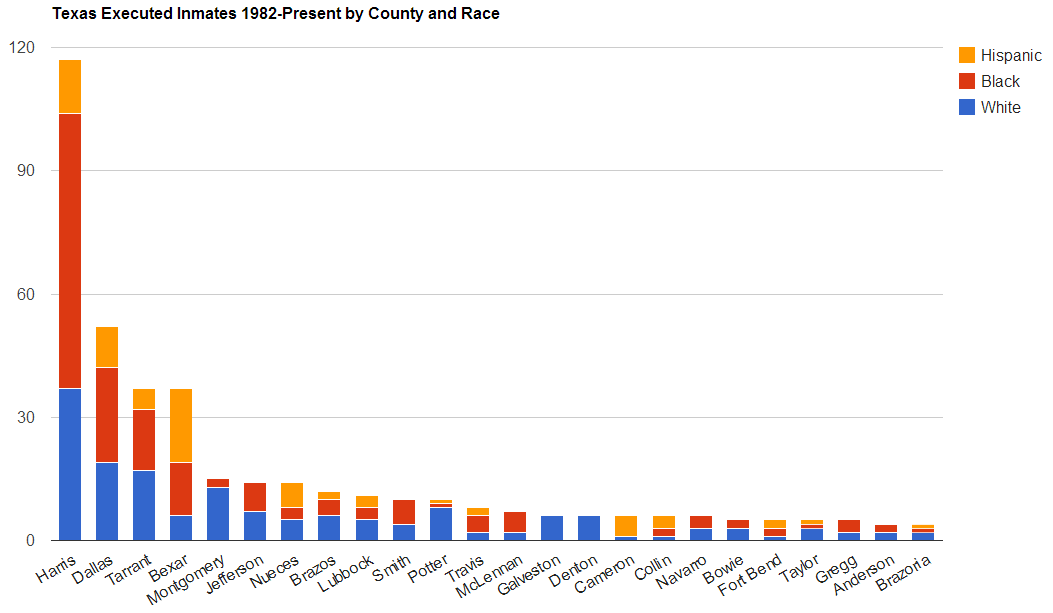
By County over 5
ByCounty

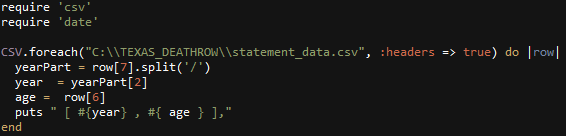
Ruby Used for Scatter Chart:
AgeYearScatterRuby

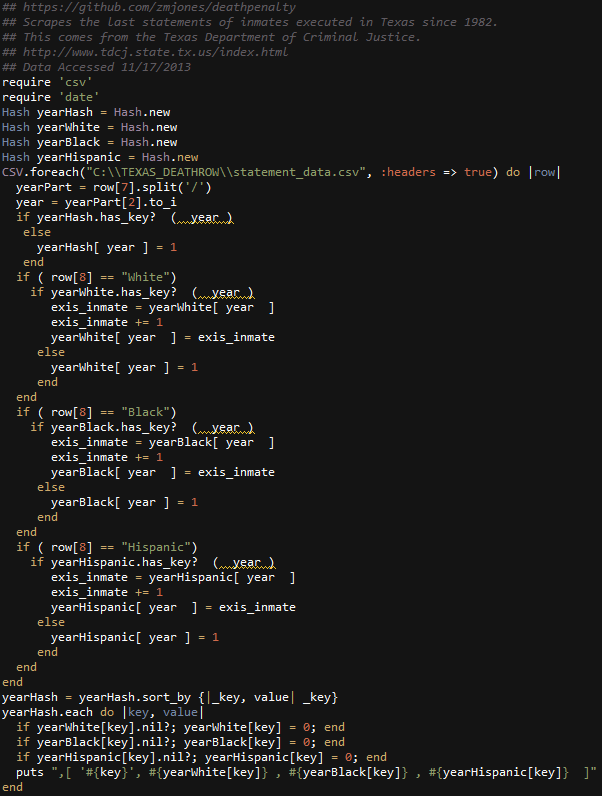
Ruby Used for Stacked Race By Year:
RacetotalExecutedTexasRuby

Ruby: Visualizing NBA Player Salaries 2013 – 2018

In this post I visualize the player salaries of a few select teams of interest, and the top player salaries across all teams.

nbalogo


The data is from a post i found on /r/datasets   This post

NBA Salaries by Player, Team, and Agent 2013-2019

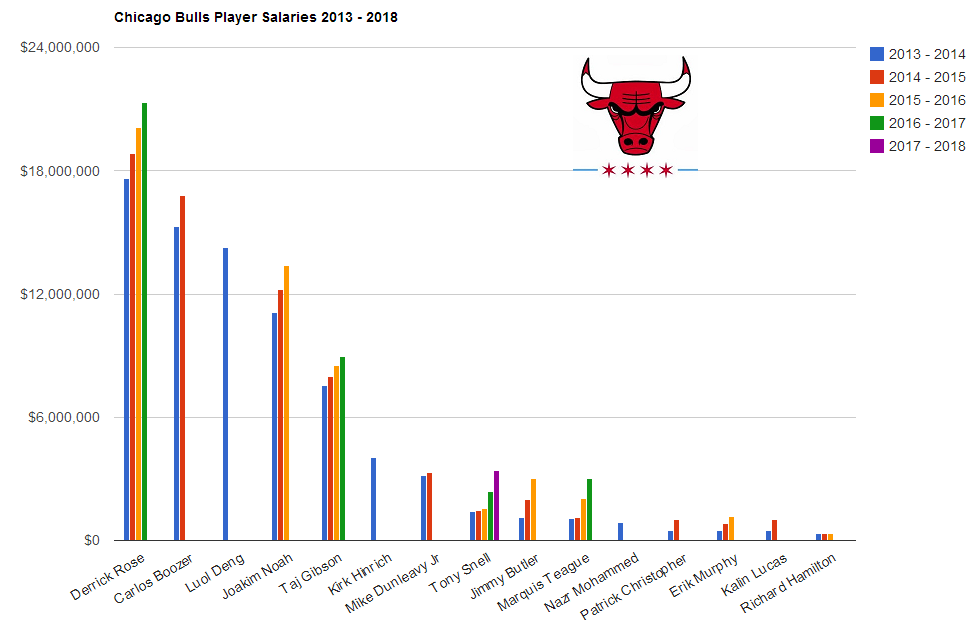
Chicago Bulls
BullsSalaries

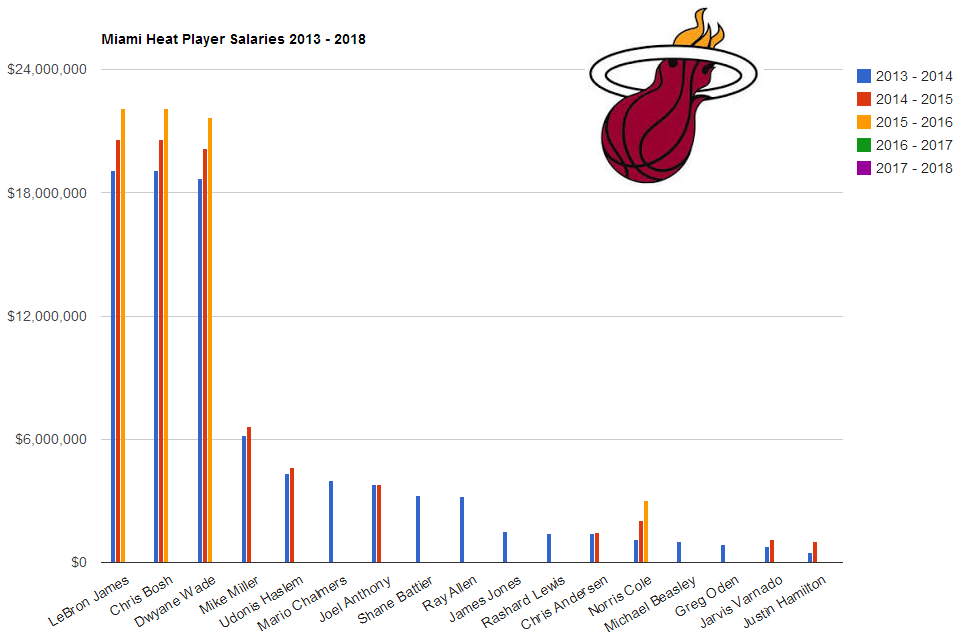
Miami Heat
HeatSalaries

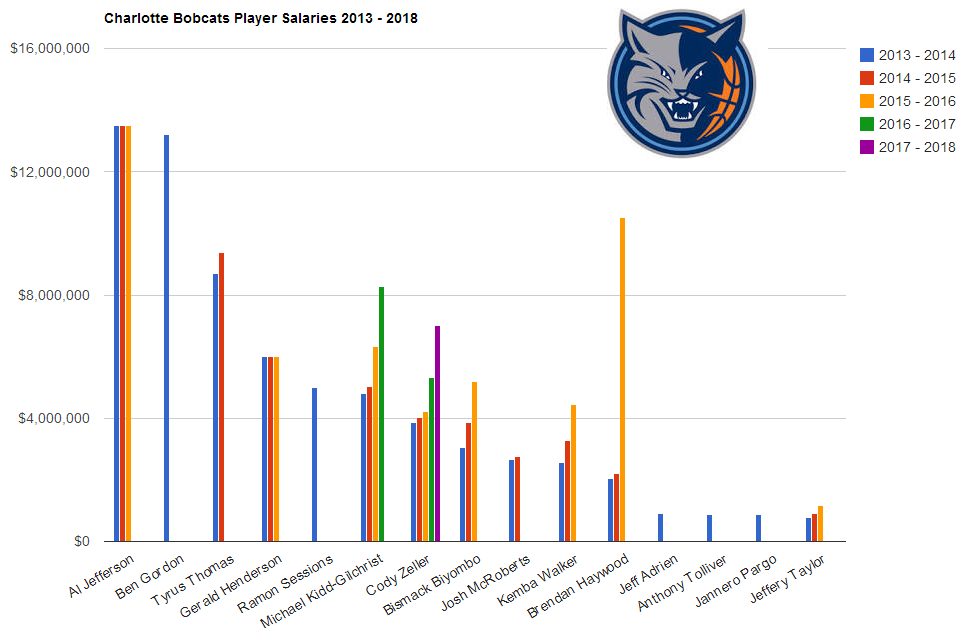
Charlotte Bobcats
BobdatSalaries

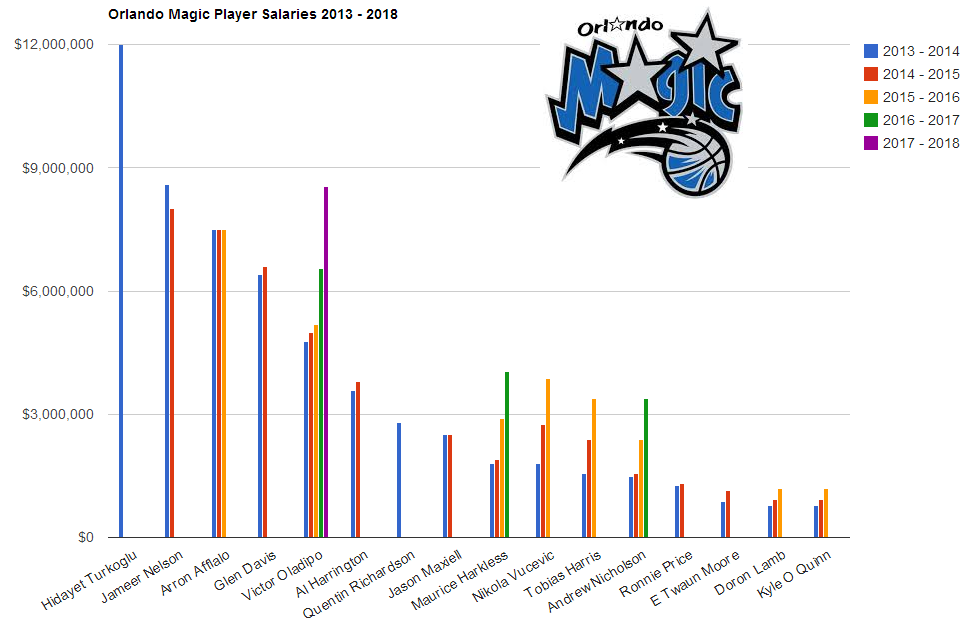
Orlando Magic
Orlando magic

Brooklyn Nets
NetsSalaries

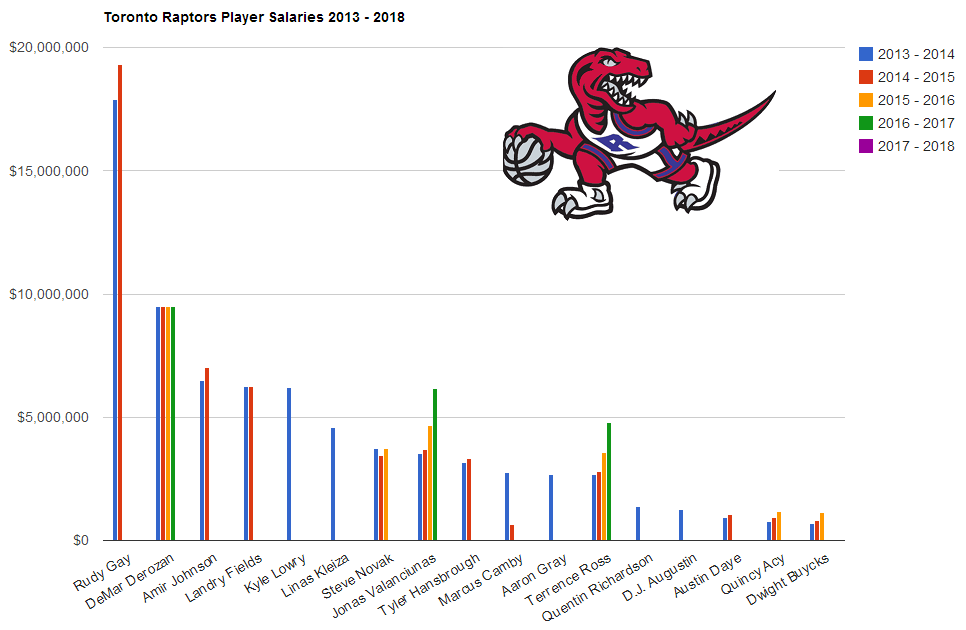
Toronto Raptors
raptorssal

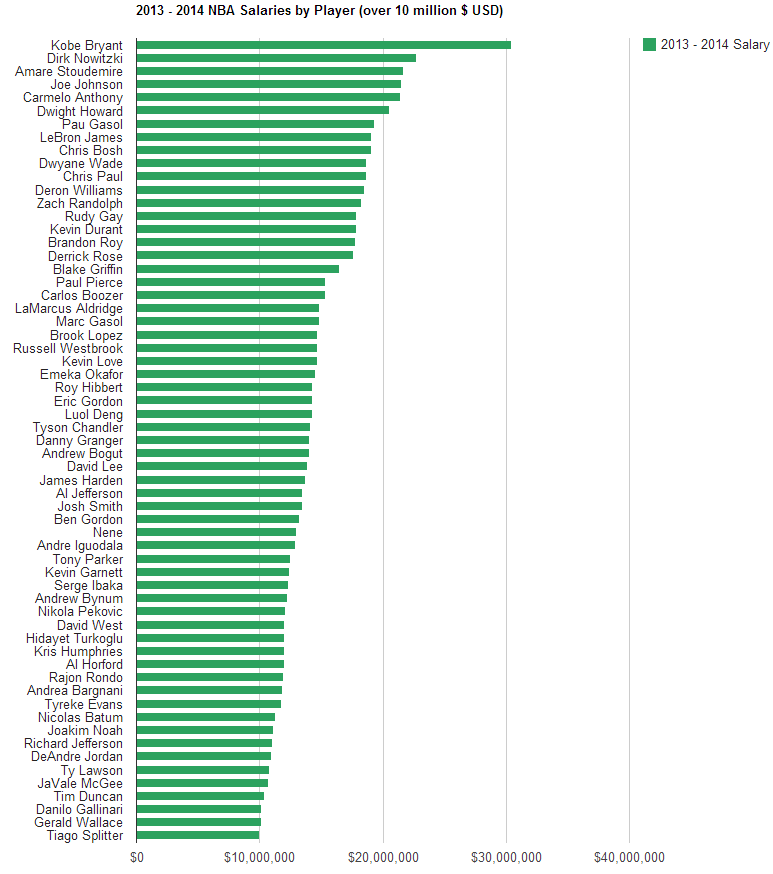
All players over $10 Million USD
2013SalByPlayerOver10Mil

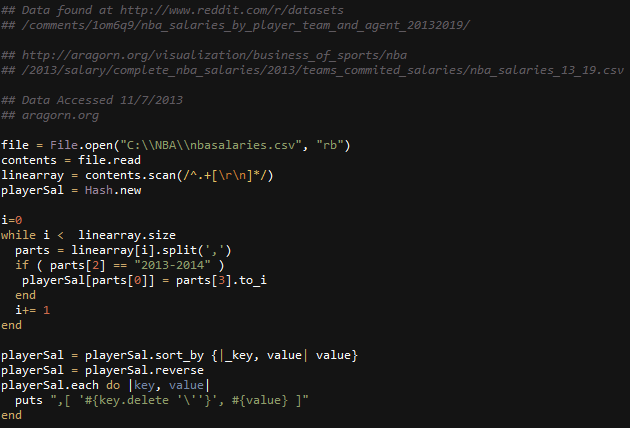
Ruby used to parse CSV Data for all players:
ruby_ByPlayer

Ruby: Visualizing 2014 Chicago Budget Recommendations

Once again, the data is from City of Chicago Data portal

chicago

The dataset details 2014 Budget Recommendations, which is the line-item budget document proposed by the Mayor to the City Council for approval. Budgeted expenditures are identified by department, appropriation account, and funding type: Local, Community Development Block Grant Program (CDBG), and other Grants. “Local” funds refer to those line items that are balanced with locally-generated revenue sources, including but not limited to the Corporate Fund, Water Fund, Midway and O’Hare Airport funds, Vehicle Tax Fund, Library Fund and General Obligation Bond funds. Owner: Budget and Management. Frequency: Data is updated annually. For more information about the budget process, visit the Budget Documents page:

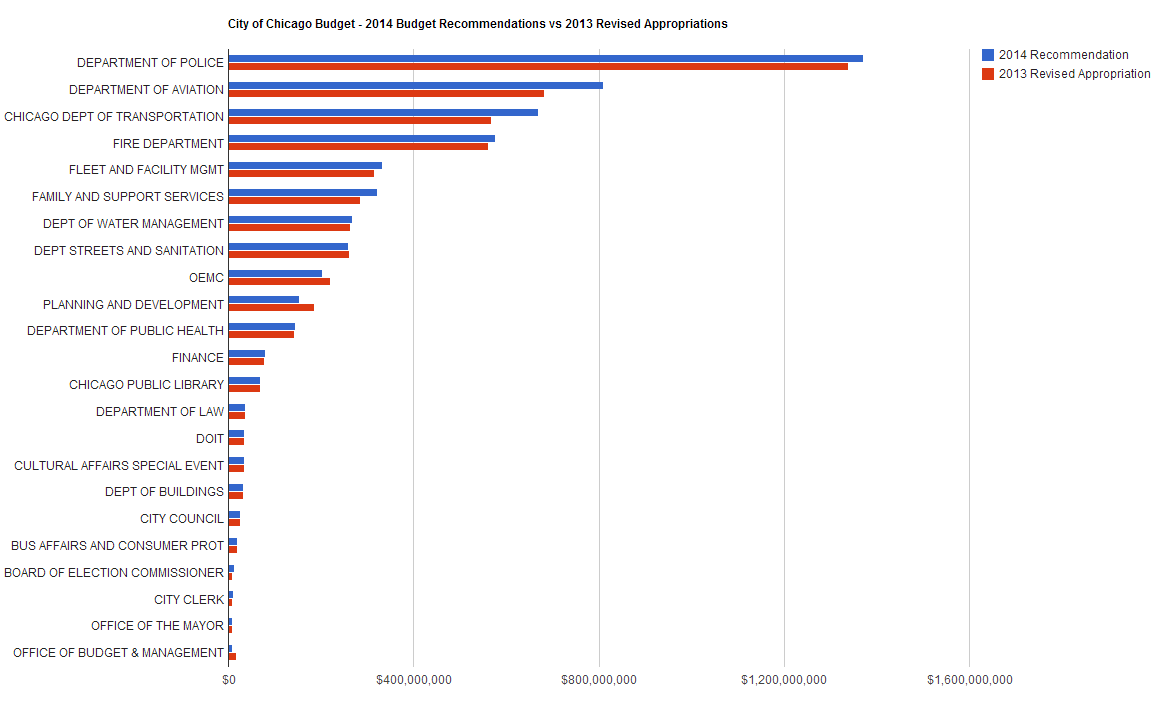
Here is a breakdown of the 2014 recommendations compared with revised 2013 appropriations by department.

Over 10 million dollars and excluding Finance General
2014Chicago_Budg_Dep_rec_vs_2013_approp

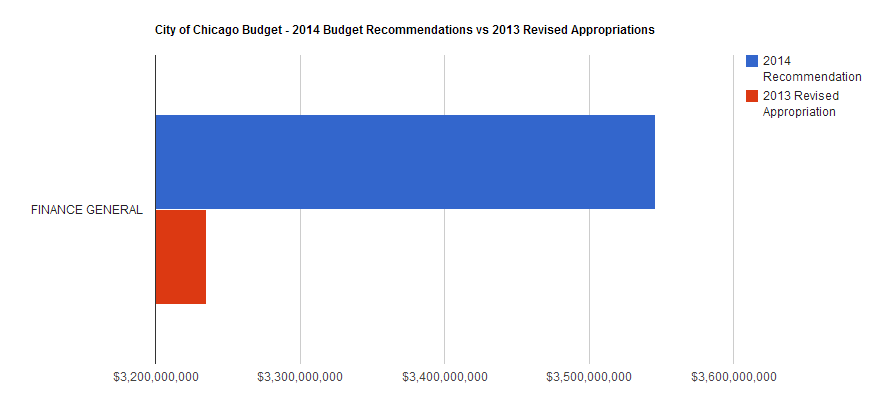
Here’s Financial General
FINANCE GENERAL 2013 appro_2014 Rec

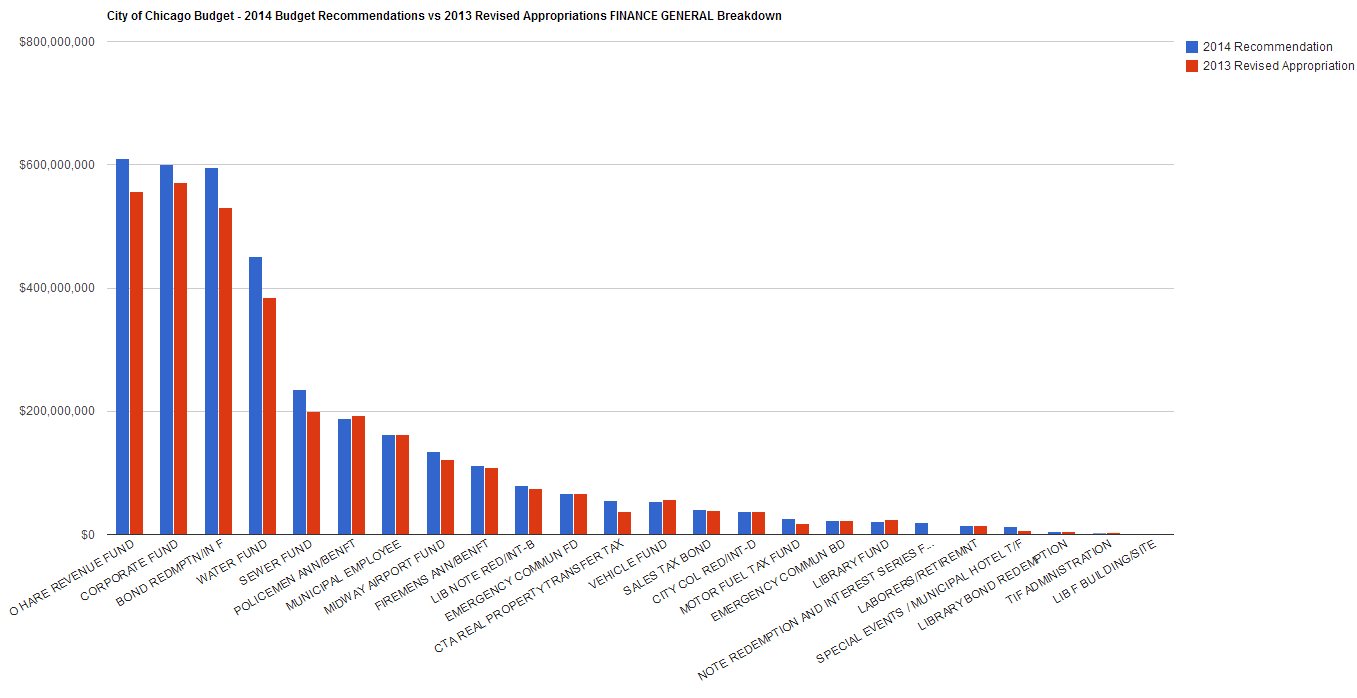
Breakdown of Financial General
GenFinvs

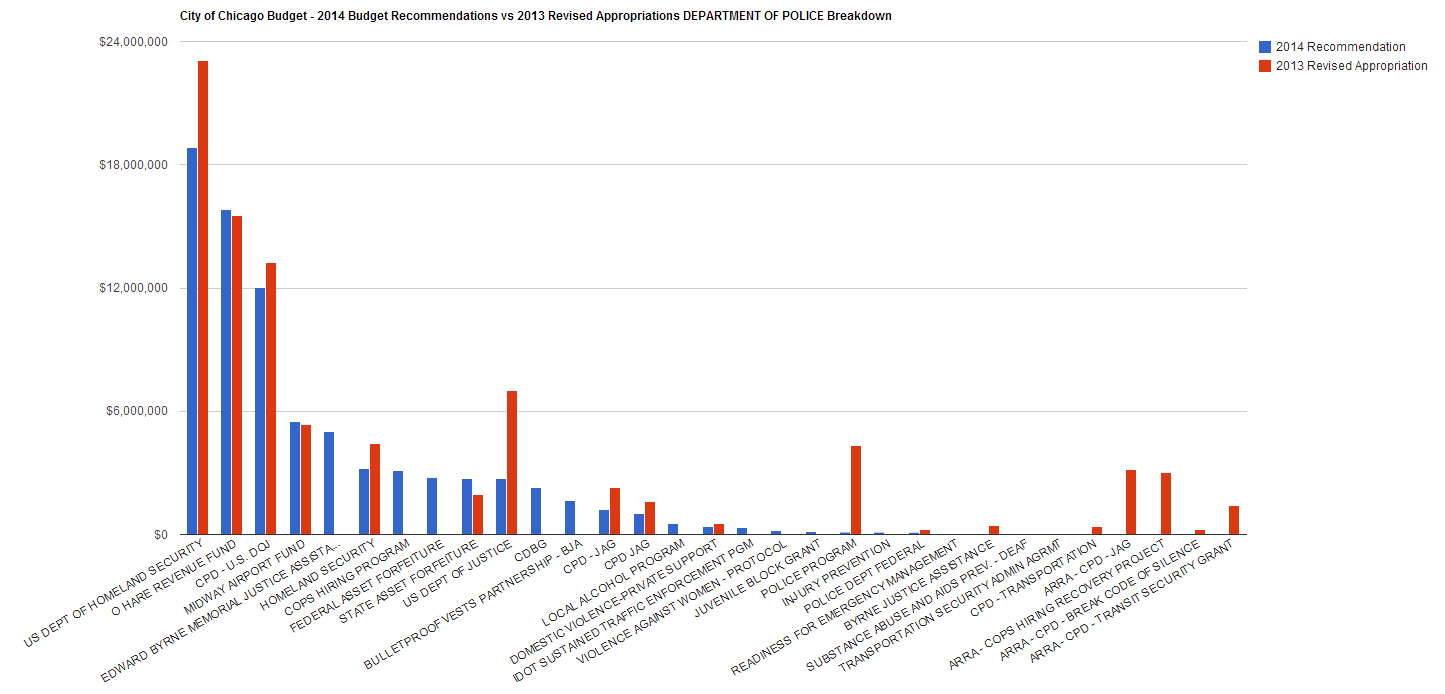
Police Breakdown excluding Corporate Fund
Police breakdown

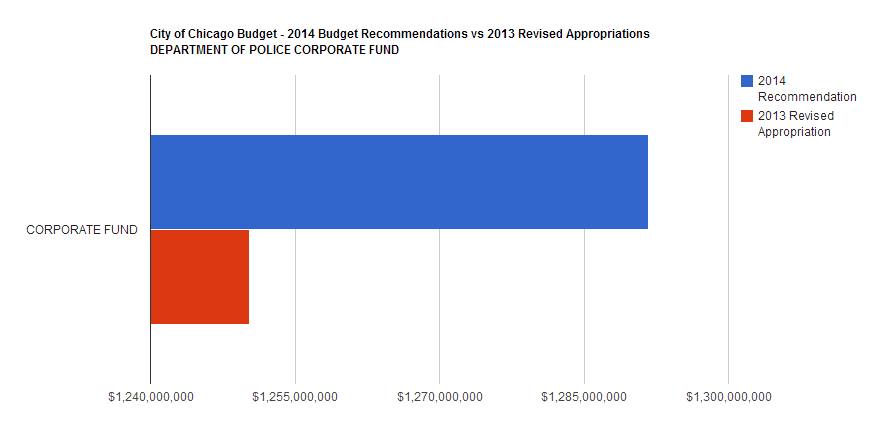
Police Corporate Fund
Police corporatefund20132014

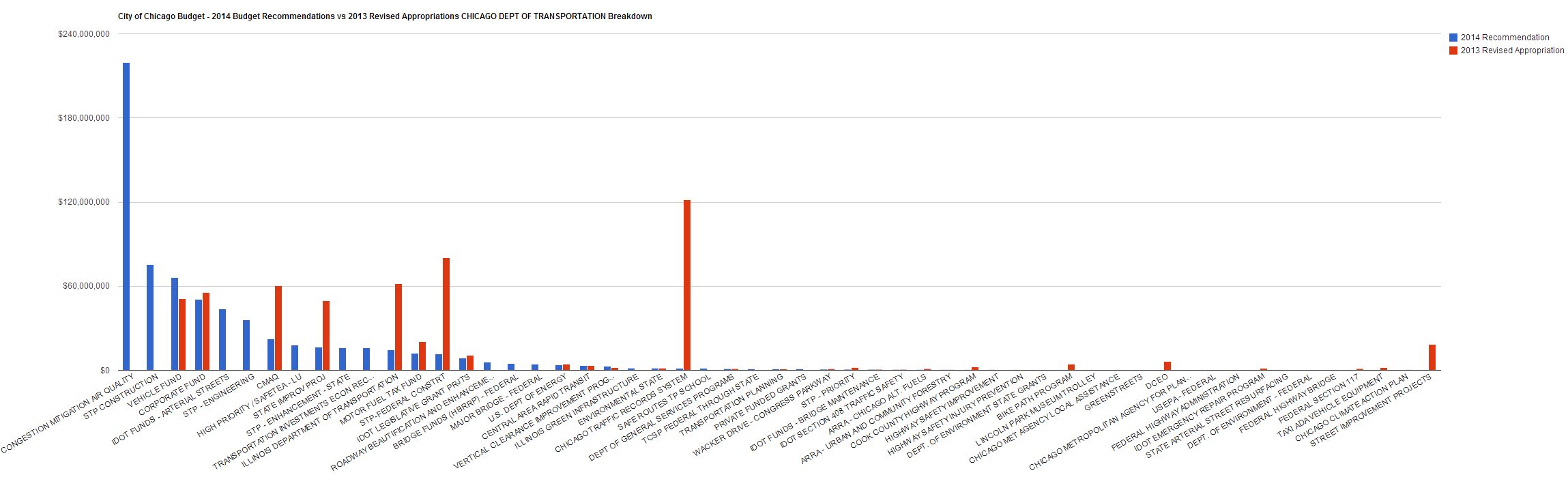
Department of Transportation
DeptTransportBreakdown

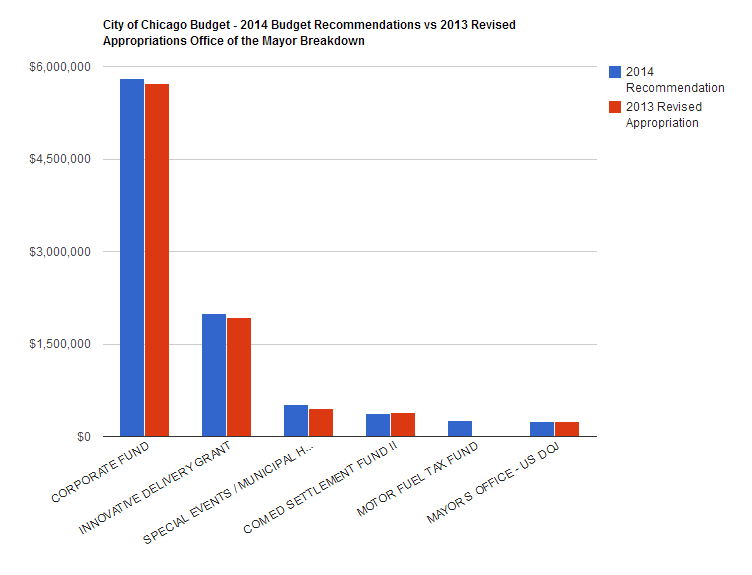
Office of the Mayor
Office of mayor


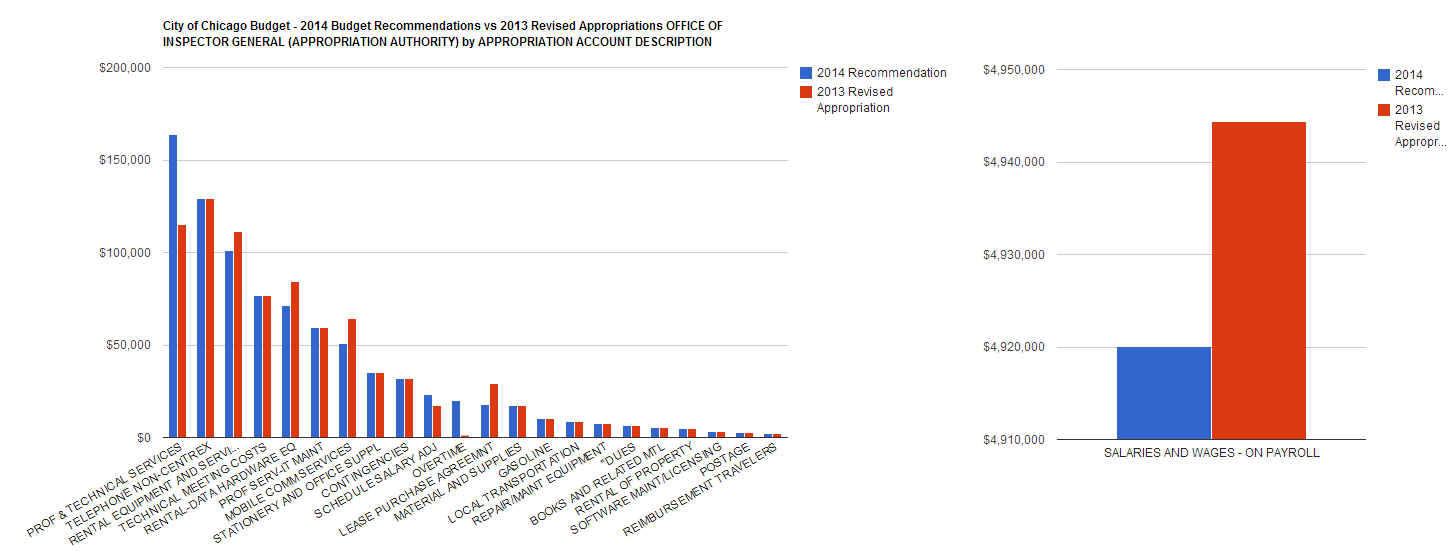
City of Chicago Budget – 2014 Budget Recommendations vs 2013 Revised Appropriations OFFICE OF INSPECTOR GENERAL (APPROPRIATION AUTHORITY) by APPROPRIATION ACCOUNT DESCRIPTION

Office of Inspector General Both


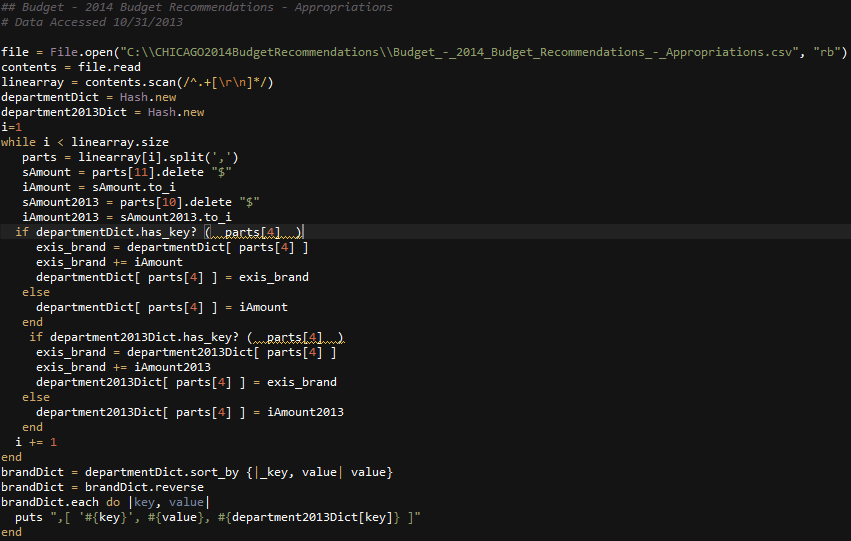
Ruby example used to parse the data
RubyFor2013vs2014