How to split apart a GIF image frame by frame, and save each frame as PNG into a sub-folder.
To achieve this I will be using ImageMagick
http://www.imagemagick.org/
Download, Install and locate an executable named convert.exe
I created a folder on my C: Drive called
/ImageConversion/
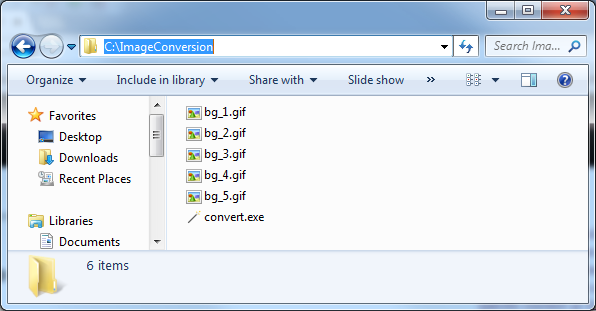
Place your GIFs into the ImageConversion Folder, also copy convert.exe into there as well. So the folder should look like this:
Execute this code:
//get all files in folder
string[] files = Directory.GetFiles(@"c:\ImageConversion\");

//loop through each file
foreach (string file in files)
{
    //check if .GIF
    string ext = Path.GetExtension(file);
    if (ext == ".gif")
    {
        Console.WriteLine("Splitting : "+file);
        //Get the name of the file without extension
        string filenameNoExt = Path.GetFileNameWithoutExtension(file);
        //Get the file name with extention
        string filenameExt = Path.GetFileName(file);
        Console.WriteLine();
        //Create a Sub Directory with the same as the GIF's filename
        Directory.CreateDirectory(@"c:\ImageConversion\"+filenameNoExt);
        Process imProcess = new Process();
        //Arguments
        string im_command = @"c:\ImageConversion\"
        + filenameExt + @" -scene 1 +adjoin -coalesce c:\ImageConversion\" + filenameNoExt + @"\" + filenameNoExt + ".png";
        imProcess.StartInfo.UseShellExecute = false;
        imProcess.StartInfo.RedirectStandardOutput = true;
        imProcess.StartInfo.FileName = @"c:\ImageConversion\convert";
        imProcess.StartInfo.Arguments = im_command;
        imProcess.Start();
        imProcess.WaitForExit();
    }
} |
//get all files in folder
string[] files = Directory.GetFiles(@"c:\ImageConversion\");
//loop through each file
foreach (string file in files)
{
//check if .GIF
string ext = Path.GetExtension(file);
if (ext == ".gif")
{
Console.WriteLine("Splitting : "+file);
//Get the name of the file without extension
string filenameNoExt = Path.GetFileNameWithoutExtension(file);
//Get the file name with extention
string filenameExt = Path.GetFileName(file);
Console.WriteLine();
//Create a Sub Directory with the same as the GIF's filename
Directory.CreateDirectory(@"c:\ImageConversion\"+filenameNoExt);
Process imProcess = new Process();
//Arguments
string im_command = @"c:\ImageConversion\"
+ filenameExt + @" -scene 1 +adjoin -coalesce c:\ImageConversion\" + filenameNoExt + @"\" + filenameNoExt + ".png";
imProcess.StartInfo.UseShellExecute = false;
imProcess.StartInfo.RedirectStandardOutput = true;
imProcess.StartInfo.FileName = @"c:\ImageConversion\convert";
imProcess.StartInfo.Arguments = im_command;
imProcess.Start();
imProcess.WaitForExit();
}
}
That’s it, you’re done.
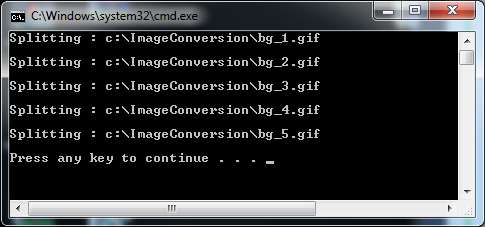
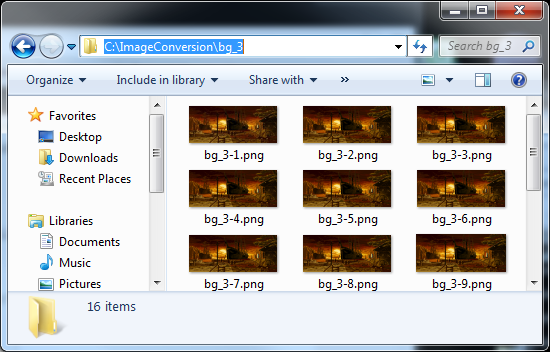
Now the ImageConversion folder should be populated with a folder for every gif containing every frame as an individual png.
62%.

 n
n 
 100, what is the maximum digital sum?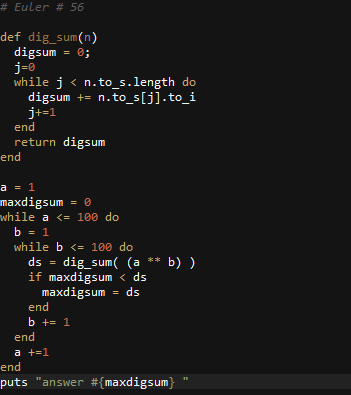
 d10
d10 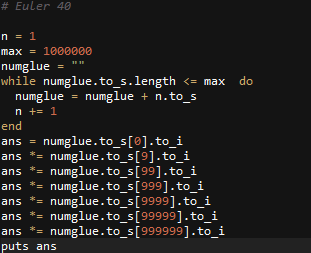

 1 + Fn